Clinic network refresh
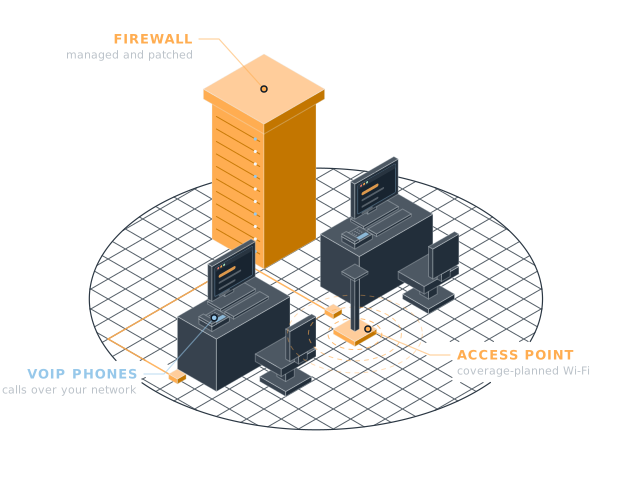
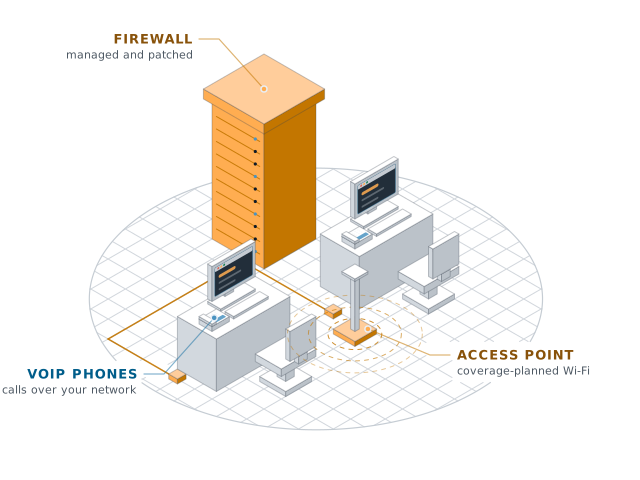
Server rack with cabling to desks and a Wi-Fi access pointServer rack with cabling to desks and a Wi-Fi access point
Build

Old switches and patchy Wi-Fi were slowing down patient check-in. We replaced the core network, split guest and staff Wi-Fi, and documented every port.

Client
Health clinic, 2 locations
Services
Networks & Wi-Fi
Timeline
Two weekends, one per location
Result
Faster check-in, guest Wi-Fi kept separate

Case study

How it went

Where they started

A health clinic with two locations had check-in tablets that kept dropping off the Wi-Fi. Front-desk staff were re-entering patient details by hand.

The switches were nine years old. Patients and staff shared one Wi-Fi network, and nothing was documented.

What we did

  1. Survey both sites. We mapped coverage and found the dead spots behind the reception desks.
  2. Replace the core. New firewall, switches and access points at each location.
  3. Split the networks. Separate Wi-Fi for staff, patients and medical devices, kept apart from each other.
  4. Document everything. Every port labelled, and a network map handed to the clinic manager.

The result

  • Check-in tablets have stayed connected since the refresh.
  • Patient check-in takes about half as long.
  • Guest Wi-Fi cannot reach anything that holds patient data.

Book your free check-up

We scan your network, devices and accounts, walk you through what we find, then talk options. It takes 30 minutes and there is no contract to look.

Fields are required unless marked optional.

Add your name so we know who to ask for.
Enter an email like name@company.com.
Pick how many people work with you.

Prototype form: nothing is sent yet.

Settings

Theme

System follows your device. Saved on this device.

Motion