Move to Microsoft 365
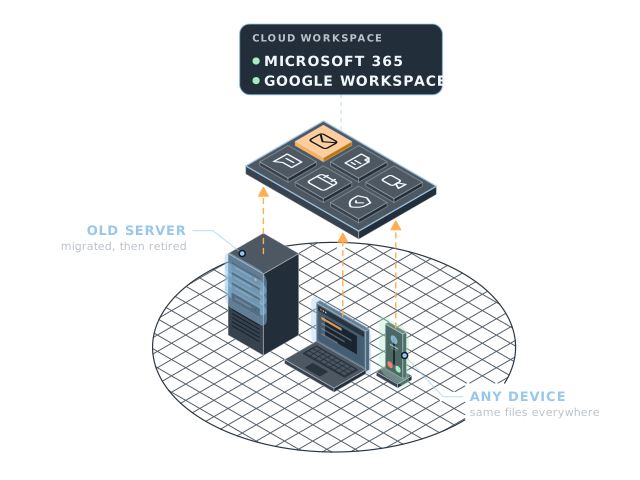
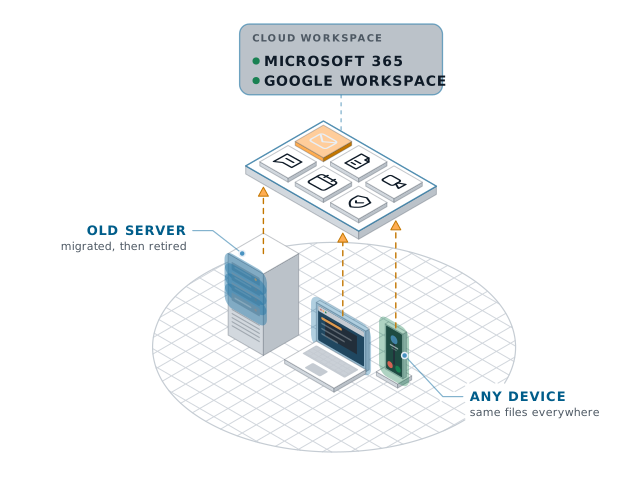
Server, laptop and phone syncing to a cloud workspace hubServer, laptop and phone syncing to a cloud workspace hub
Build

Files lived on an ageing server in a closet. We moved email and files to Microsoft 365, cleaned up licences, and set up Teams so staff could work from anywhere.

Client
Accounting firm, 25 staff
Services
Cloud workspace
Timeline
Four weeks
Result
Old server retired, files on any device

Case study

How it went

Where they started

An accounting firm of 25 people kept every file on a server in a closet. It was eight years old and out of warranty, and working from home meant a slow VPN.

Licences had been bought over the years by different people. Some staff had two, and some ex-staff still had one.

What we did

  1. Map the files. We sorted client folders, templates and archives, and agreed who needs what.
  2. Clean up licences. One licence per person, at the level they actually use.
  3. Move over a weekend. Email and files moved to Microsoft 365, with SharePoint sites for each team.
  4. Teams and training. Teams set up for calls and chat, with a short session for staff on Monday.

The result

  • The old server is retired, and files open on any device.
  • Licence costs dropped by about a fifth.
  • Staff work from home without the VPN.

Book your free check-up

We scan your network, devices and accounts, walk you through what we find, then talk options. It takes 30 minutes and there is no contract to look.

Fields are required unless marked optional.

Add your name so we know who to ask for.
Enter an email like name@company.com.
Pick how many people work with you.

Prototype form: nothing is sent yet.

Settings

Theme

System follows your device. Saved on this device.

Motion